
Is ChatGPT safe to use for your business
ChatGPT is safe to use for your business as long as you control two things, what you type into it and how your data settings are configured. The tool itself isn’t the risk. The risk is pasting confidential client information, financial figures or personal data into a public chat window with the training toggle left on. Get those settings right and follow a few sensible rules, and ChatGPT becomes a genuinely useful tool for a UK SME. This guide walks you through exactly what to check and what to avoid.
This came up in a recent conversation with a client who wanted to start using AI but was worried about where their data actually goes. It’s a fair question, and one a lot of business owners are quietly nervous about. So let’s answer it properly.
The real ChatGPT data privacy concern for a small business in the UK
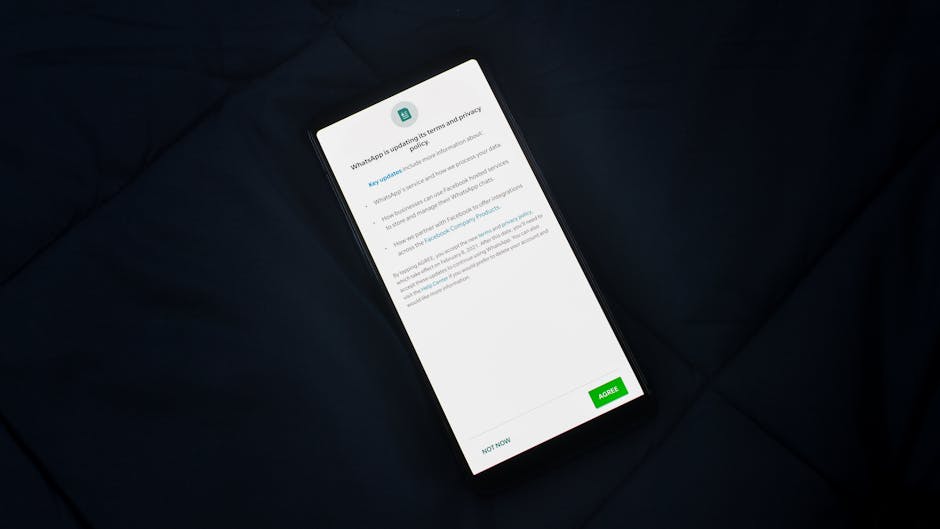
Here’s the problem in plain terms. When you type something into a free or standard ChatGPT account, that text can, by default, be used to help train future versions of the model. It doesn’t mean a human is reading your messages, and it doesn’t mean your competitor can search for them. But it does mean your words leave your control and sit on someone else’s servers.
For most casual use that’s fine. Where it stops being fine is when you paste in things like client contracts, employee records, card details, medical information, or anything covered by a confidentiality agreement. Under UK GDPR you’re responsible for personal data you handle, and feeding it into a third-party tool without thinking is a genuine risk.
The cost of getting this wrong isn’t only a fine. It’s the trust of a client who finds out their information went somewhere they never agreed to. That damage is slow to repair and expensive to earn back.
What actually happens to your data in ChatGPT
OpenAI, the company behind ChatGPT, has been clear about how the different account types handle data. On the consumer version you can switch off model training in your settings. On the business and enterprise tiers, your data is not used for training at all by default, and OpenAI states this in its enterprise privacy documentation.
The point most people miss is that you have more control than you think. You’re not powerless here. You just need to know which switches to flip and which habits to build. For the underlying legal framework, the ICO’s guidance on AI and data protection is worth a read, and it’s written for organisations rather than lawyers.

The settings and rules to fix this today
1. Turn off model training
In a standard ChatGPT account, go to Settings, then Data Controls, and switch off the option that lets your chats improve the model. This is the single most important toggle. It stops your conversations being used for training while you still get to use the tool.
2. Never paste confidential or personal data
Build one simple habit. Before you paste anything, ask yourself whether you’d be comfortable emailing it to a stranger. If the answer is no, don’t put it in. That covers client names tied to sensitive details, bank information, passwords, and anything under NDA. Anonymise it first. Replace real names with placeholders and strip out anything identifying.
3. Use a business tier if AI becomes part of your daily work
If you’re moving beyond occasional use, the paid business tiers are built for exactly this. Your data stays out of training by default and you get proper account controls. For a company handling client data regularly, that’s a sensible investment rather than an optional extra.
4. Write a one-page AI policy for your team
Your staff are already using these tools whether you’ve approved it or not. A short, clear policy that says what’s allowed and what’s off limits protects you far more than a ban nobody follows. Keep it to one page and make it human.
Getting AI working safely inside a business is exactly the kind of problem 07 Heaven Systems helps owners solve. As Swann Virassamy at Cromebloc put it, “Luke is a problem-solver. He rebuilt our onboarding and suggested optimisations we had not considered.” The same thinking applies here, sensible systems that remove risk instead of adding it.
Why this matters more than the hype
Luke Stillwell has run his own businesses for 19 years and now works with tools like HubSpot, n8n and Claude every day. The lesson from all of it is the same. Technology is only as safe as the process around it. ChatGPT included. Set it up properly, teach your team the rules, and you get the benefit without the exposure.
The bigger risk with always-on AI assistants
Most worries about AI at work focus on surveillance: does the assistant listen, does it profile your staff. Those are fair questions and worth checking in the terms. In a small team, though, there is a quieter risk. Assistants are very good at absorbing decisions, patterns and preferences, and over time they can become the only place that know-how exists.
That shows up in three ways:
- Accountability. When decisions get offloaded to an assistant, it becomes hard to say who made the call on a quote or a discount, and nobody can explain the reasoning when something goes wrong.
- Resilience and training. New starters used to learn by watching experienced people reason through problems. If the reasoning happens inside a tool, there is nothing to watch, and nobody is left to spot it when the tool is wrong.
- Ownership. When you switch provider, your raw records usually stay yours, but the learned context, preferences and decision history often cannot be exported in any useful form. That is lock-in.
Four decisions to make before you rely on one
- Keep the reasoning with a person. For pricing, hiring and client commitments, a named person signs it off and can explain why. The assistant advises, a human decides.
- Read the exit terms. Check whether you can export what the assistant has learned, and in what format. If the answer is vague or no, assume you are renting your own operating knowledge and price that in.
- Train on the why, not just the how. If someone cannot explain why a task is done a certain way, they cannot catch the assistant getting it wrong.
- Map what only lives in the tool. Spend an hour listing what the business now relies on the assistant to remember, and document anything that exists nowhere else somewhere you control.
Common questions
Is ChatGPT safe for confidential business information
Only if you don’t paste the confidential information into it. The tool is safe for general work like drafting, brainstorming and summarising public information. For anything confidential, anonymise it first or use a business tier account where your data is excluded from training by default.
Does ChatGPT comply with UK GDPR for small businesses
ChatGPT can be used in a GDPR-compliant way, but compliance depends on how you use it. You remain the data controller. If you input personal data, you’re responsible for it, so avoid inputting identifiable personal data unless you have a lawful basis and appropriate safeguards in place.
How do I stop ChatGPT using my data for training
In a standard account, go to Settings, then Data Controls, and switch off the option that improves the model using your chats. On business and enterprise accounts, training on your data is disabled by default, so there’s nothing extra to toggle.
Still unsure where the lines are for your own business? Join our next AI workshop and we’ll walk through safe, practical AI use together so you can start using these tools with confidence.
Rather have it built for you? See what an AI automation agency actually does and how we build and run these systems for UK businesses.


Ready to put this into practice?
Book a free discovery call and we will show you exactly what is possible for your business. No obligation.
4.8 ★★★★★ from 35 Google reviews by business owners like you.